
Enterprise UX Modernisation & Operational Workflow Redesign
Introduction
The Greenlight Platform is a survey and data management system used by The Greenlight Movement, a collaborative network of more than 140 non-profits, social enterprises, and businesses operating across Africa. The platform supports the collection, management, and analysis of large volumes of social impact data used for programme evaluation, reporting, and evidence-based decision-making. The goal of the non-profit is to improve the quality of life throughout Africa, with a data-driven approach.
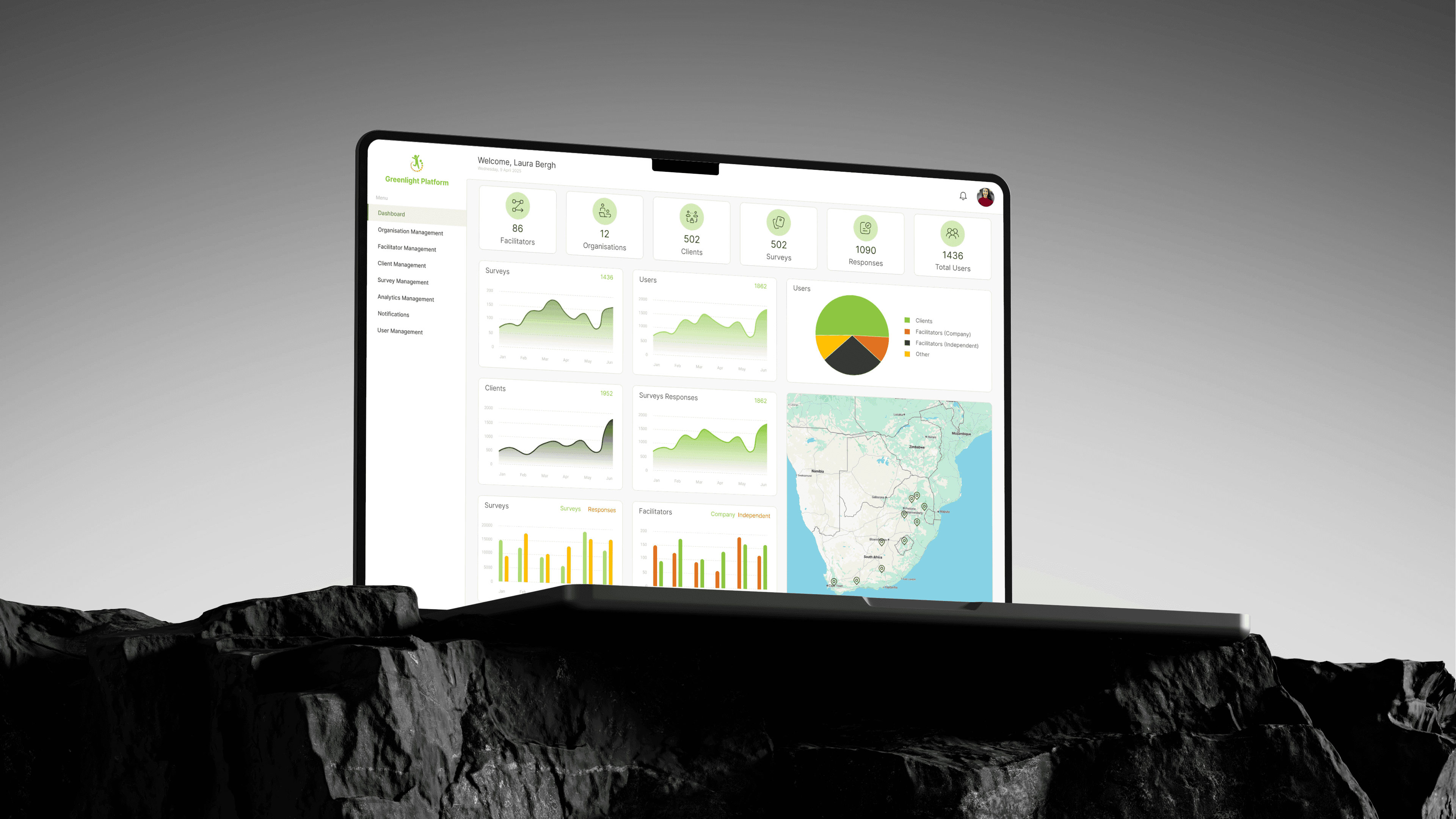
The Problem
While the Greenlight Platform remained functionally operational, years of inconsistent update cycles resulted in significant design debt. The system had not evolved alongside user needs or device standards, leading to a measurable decline in employee productivity and overall experience.
Critical usability issues were present across the platform, including broken aspect ratios, poor responsiveness, unusable touch targets, and the absence of a clear visual hierarchy for data. Navigation patterns were inconsistent, and simple workflows became unnecessarily time-consuming for daily users.
The platform also suffered from weak information architecture and cluttered layouts. Essential features were difficult to discover, significantly increasing onboarding time for new employees and partner organisations and reducing confidence in the system.
As these issues compounded, The Greenlight Office engaged us to conduct a comprehensive UX audit and deliver a strategic redesign of their survey capture mobile application, admin portal, and CRM platform. The decision was driven by our experience working within the NGO sector and a shared focus on building efficient, usable, and intuitive systems through our product design services.
Challenges
Stakeholder Constraints
The redesign needed to be highly cost-effective, focusing on targeted improvements rather than a full visual overhaul. Design decisions were required to reduce downstream development effort, as implementation would be handled by the organisation’s internal development team.
Additionally, the survey capture workflows were frequently used in remote villages with unreliable or limited mobile connectivity. The platform needed to account for low-signal environments to ensure uninterrupted data collection and prevent data loss.
Audit Findings
The UX audit identified multiple structural and usability issues that limited the platform’s effectiveness, scalability, and user adoption.
Visual Hierarchy Deficiencies
Key data points and actions lacked prioritisation, resulting in poor scannability and increased cognitive load during task execution.Information Architecture Gaps
Navigation structures and content grouping were inconsistent across the platform, leading to fragmented user journeys and difficulty locating essential features.Absence of a Design System
There was no established source of truth for design assets, patterns, or interaction guidelines. This resulted in visual inconsistency, duplicated effort, and increased maintenance complexity.Lack of Reusable Components
UI elements were implemented as static, one-off components, preventing reuse and increasing development and design debt.Responsiveness and Layout Issues
Interfaces relied on fixed layouts that did not adapt reliably across screen sizes, negatively impacting usability on mobile and tablet devices.Touch Target and Interaction Issues
Interactive elements failed to meet basic accessibility and usability standards, making precise interaction difficult, particularly in mobile and low-precision environments.
Our Solution
The solution was designed to directly address the constraints and UX audit findings identified during the discovery phase, with a focus on cost control, adoption continuity, and development efficiency.
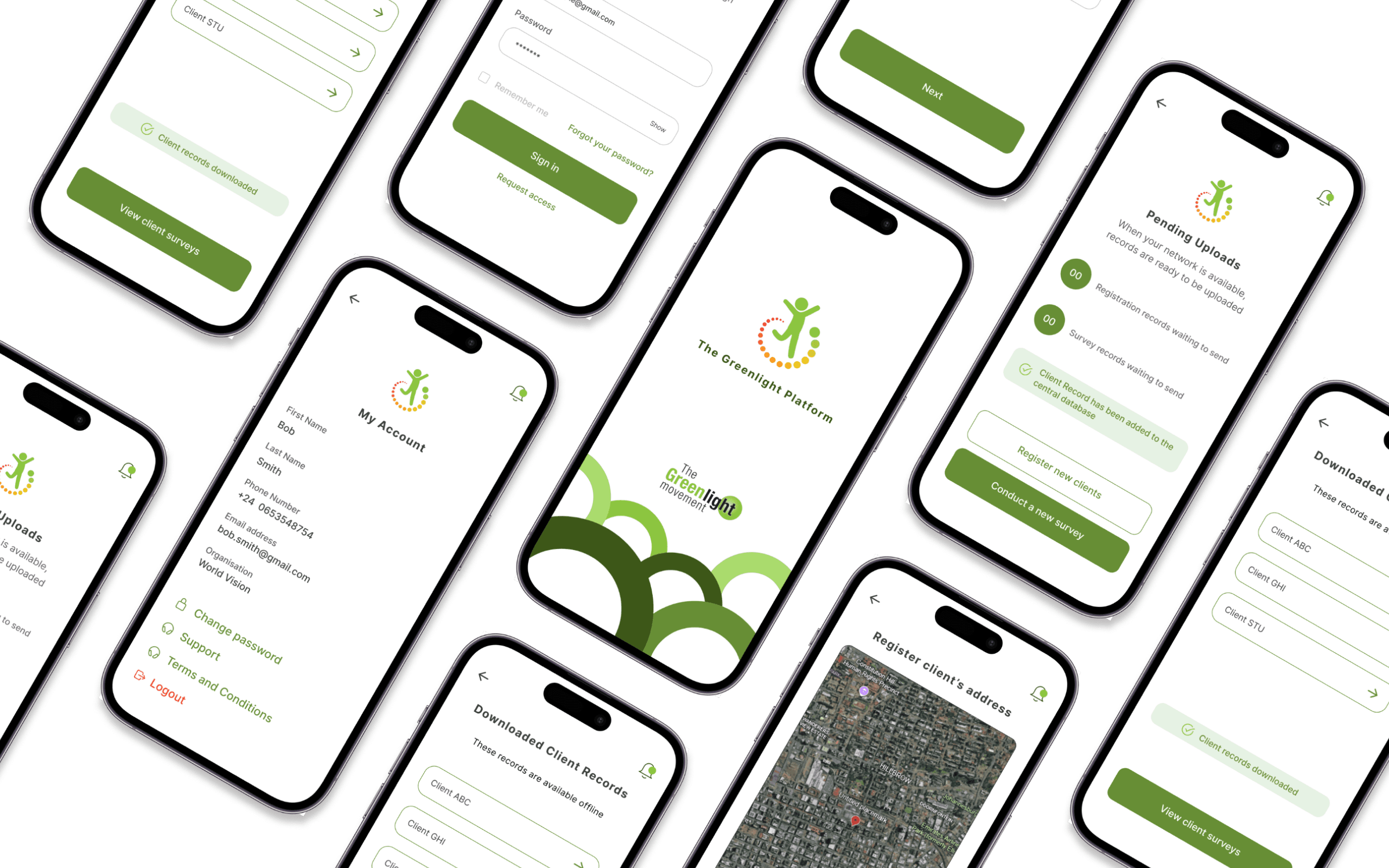
Cost-Effective Redesign Approach
A full system rebuild was intentionally avoided to control cost and operational risk. Instead, targeted design changes were prioritised based on audit severity and frequency of use. This approach preserved existing workflows while addressing usability gaps that were contributing to reduced productivity.
Audit Findings Addressed:
Design and development debt (High)
Cost constraints with internal development ownership (High)
Fragmented update cycles (Medium)
Design System Implementation
A foundational design system was established to standardise components, layout patterns, and interaction behaviours. Existing interface structures were retained where possible to minimise adoption risk, while inconsistencies identified during the audit were systematically removed.
Audit Findings Addressed:
No single source of truth for design assets (Critical)
Lack of reusable components (Critical)
Visual inconsistency across screens (High)
Information Architecture and Layout Rationalisation
The information architecture was restructured to improve clarity and discoverability of essential features. Redundant screens and flows were consolidated, and layout density was adjusted to support clearer hierarchy and optimised user flows to make essential functions easier to locate and use.
Audit Findings Addressed:
Poor information architecture (Critical)
Lack of visual hierarchy (High)
Cluttered and inefficient layouts (High)
Wireframing and Prototyping
Wireframes were created to evaluate alternative layout and navigation structures before implementation. Interactive prototypes were then used to validate usability assumptions, allowing risks to be identified and addressed prior to development.
Audit Findings Addressed:
Fragmented and unvalidated user flows (High)
Layout and navigation assumptions not tested prior to build (Medium)
User Testing and Adoption Validation
Three structured rounds of usability testing were conducted with internal teams. Feedback from each round informed iterative refinements to navigation, hierarchy, and interaction patterns, ensuring alignment with operational workflows and supporting consistent user adoption.
Audit Findings Addressed:
Adoption risk due to workflow changes (High)
Low confidence in platform usability (Medium)
All design decisions were reviewed against audit findings prior to development handoff to ensure traceability and implementation clarity.
The Impact
The redesigned GreenLight Office platform delivered remarkable improvements across all key success indicators, with exceptional adoption rates recorded across all three test groups during our pilot phase.
We reduced task completion times and eliminated the friction that had been hampering daily operations. The enhanced information architecture improved productivity, and user adoption exceeded all expectations. The new decluttered layout is now enabling staff to focus on their tasks effectively.
This project proves that thoughtful UX/UI design can transform non-profit operations, showing how strategic interface design serves as essential infrastructure for organisations working to create positive social impact.
"The strategic website and app redesign exceeded our expectations and delivered significant operational improvements across our enterprise. Our teams are extremely satisfied with the modernised platform."
Kristen Becker | CPO
The Greenlight Project